Table of contents
- Google is moving two ways at once
- Manual CPC or target ROAS: which fits this campaign?
- And from August 17, your target does exactly what you say
- Why automated bidding struggles with sale stock
- Shopping or PMax: are you even choosing what you think?
- Does PMax actually beat Shopping?
- Your brand name is inflating your ROAS
- The five questions that decide the call
- Where to start
- The bottom line
When to set your own bids, when to let Google set them, and how to make that call one campaign at a time instead of picking a side for the whole account.
Google keeps taking the manual dials away and handing the job to its own automation. Every few months, another one goes. Enhanced CPC, the safe middle option most advertisers leaned on for years, is gone. And Google's newest bidding update lets the system decide on its own when to loosen the return target you set.
If you run an ecommerce account, this is spending your money. "Trust the algorithm" isn't a plan when the algorithm is the one deciding how six figures of budget gets spent.
Most people react one of two ways. Hold on to everything, or hand it all over. Both cost you. Give it all to Performance Max and you lose sight of your margins, while traffic from people googling your own brand name makes the numbers look better than they are. Keep it all manual and you cap your reach and drown in the work.
So the question isn't how much control you give up. It's which control, and what you get back for it.
This piece covers:
- What Google changed, and why it points two ways at once
- When to set your own bids, and when to hand them over
- The August 17 change that quietly raises costs on budget-limited campaigns
- Why Shopping vs PMax isn't the choice you think it is
- The five questions that tell you what your account actually needs
Google is moving two ways at once
If you only see one of them, you'll draw the wrong conclusion.
The first direction is more automation. Enhanced CPC started being phased out in September 2024 and was fully gone by March 2025. In May 2025 Google launched its biggest bidding change in a decade. In plain terms: the system now gives itself permission to stretch your return target so it can chase searches it would normally skip.
The second direction is the opposite. More control. Performance Max spent its first three years as a black box. Budget went in, results came out, and nobody could see what happened in between. That's changed. You can now block up to 10,000 search terms per campaign, see which searches triggered your ads, see how each channel did, and cut out audiences you don't want.
So both old arguments are out of date. "PMax is a black box" was true in 2023. Much less so now. "Manual is safer" was true in 2022. Same story. A lot of teams only clocked the automation push, went all-in on PMax, and missed that Google was quietly admitting the black box had gone too far.
Manual CPC or target ROAS: which fits this campaign?
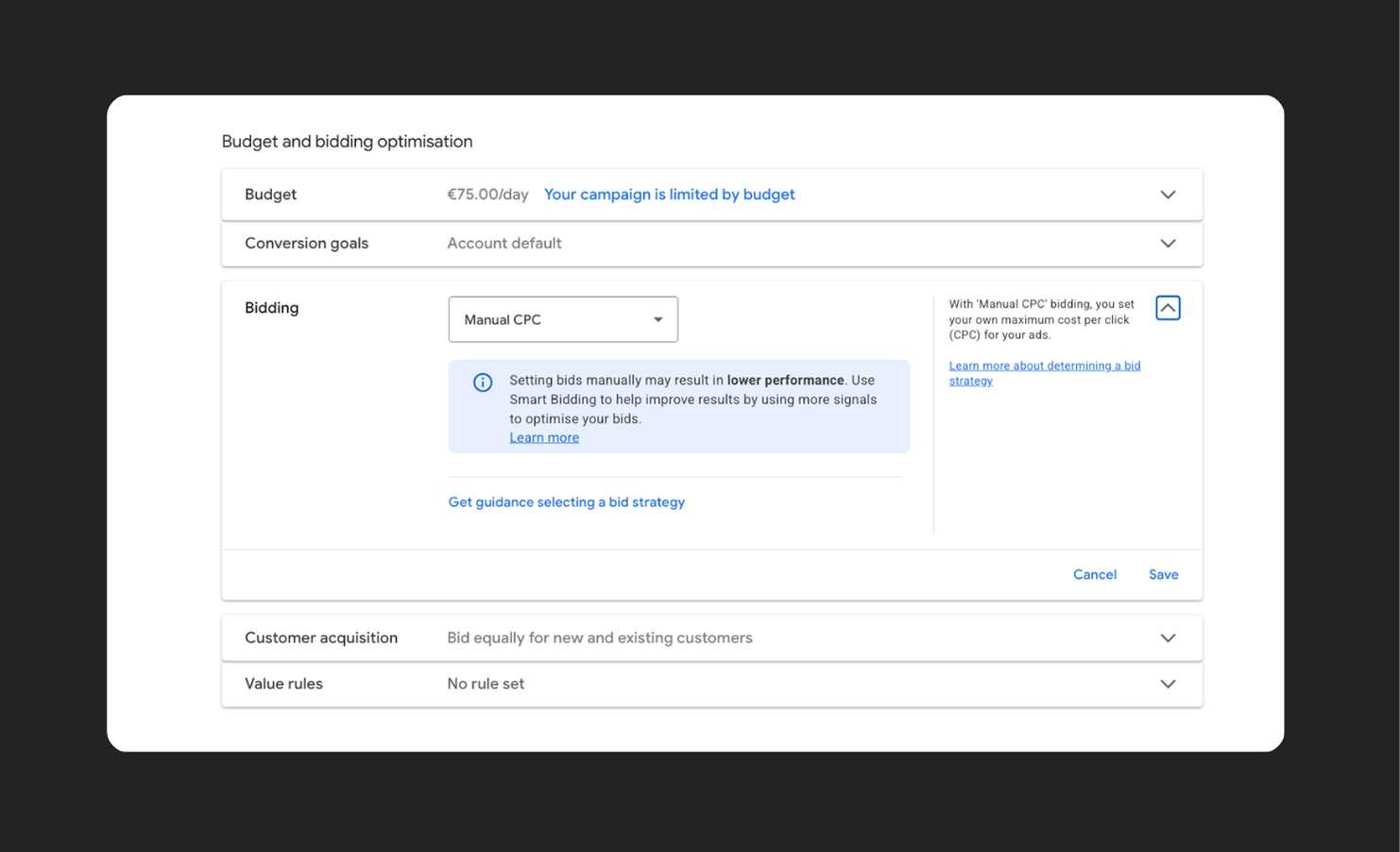
Quick version of what these two are. Manual CPC is hands-on: you set the most you'll pay for a click, and Google can never go over it. Target ROAS is hands-off: you tell Google what you want back, say €8 in revenue for every €1 spent, and it sets a different bid for every search based on signals you'll never see.
Which one fits isn't a matter of taste. It's a matter of data. Optmyzr looked at more than 14,000 accounts and found no strategy that wins by default. What decides it is how many sales a campaign makes. Around 50 a month is the line. Above it, Google's system has enough to learn from. Below it, it's guessing with your budget.
That's why one account can need both at the same time. A big category that sells all year? Ready for automated bidding. A small campaign with a handful of sales a month? Safer on manual, where your max bid is a real ceiling instead of a rough average. The classic mistake is handing a 12-sales-a-month campaign an automated target, then blaming the algorithm when the results bounce around. It never had enough to work with.
Set your own bids when:
- A campaign gets fewer than ~50 sales a month
- You want a hard cap on what a click can cost
- You're pushing sale or clearance stock and need to stay in control
Hand bidding to Google when:
- A campaign sits comfortably above ~50 sales a month
- The order values you send Google are correct
- You want to grow across markets without babysitting every bid
And from August 17, your target does exactly what you say
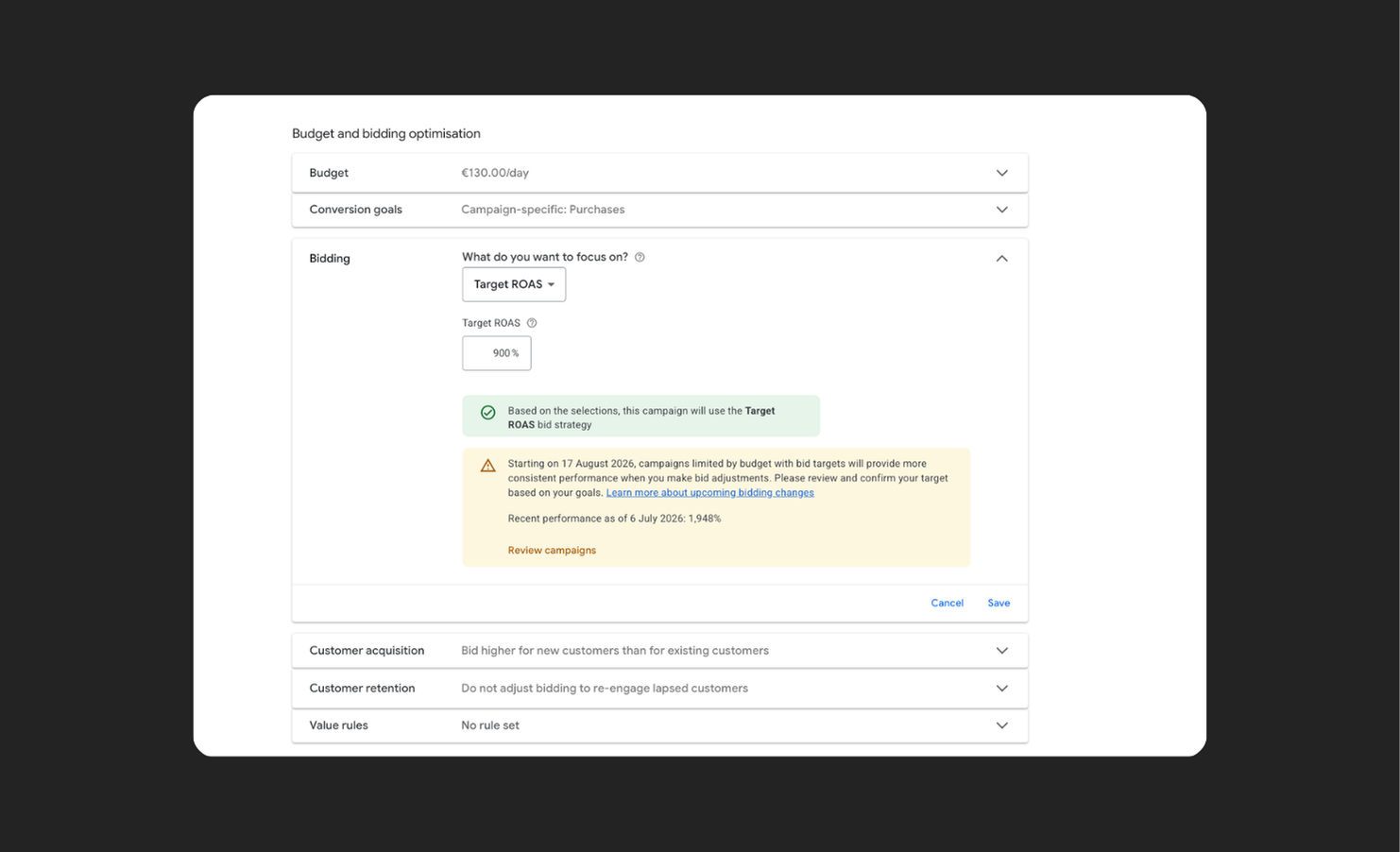
Here's why getting that target right is about to matter more than it used to. For years, a budget-limited campaign on Target CPA or Target ROAS quietly did you a favour. You typed €10, it delivered €5, and you kept the difference as free efficiency. From August 17, 2026, Google closes that gap. Across Search, Shopping, Performance Max and Demand Gen, budget-limited campaigns will be held to the target you actually set. If your Target CPA reads €10 and you've been running at €5, the campaign drifts back toward €10 unless you change the number yourself.
So the target field stops being a rough guide and becomes the setting that decides your cost. Google won't touch it for you. You've got four ways to play it:
- Keep the target. €10 is your real business goal and you're happy there.
- Match recent performance. Drop the target to €5 to hold your efficiency and take more volume as budget scales.
- Set a custom number. €5 too tight, €10 too loose? Put it where it belongs, say €7.
- Drop the target. Switch to Maximize conversions, or Maximize conversion value for ROAS campaigns, when you want volume within a fixed budget and no set target.
The prep is small but real. Pull every limited-by-budget campaign on a target-based strategy, look hardest at the ones beating their target, and decide per campaign which of the four fits. Google's Bid Target Adjustment Tool, live since July 6, shows you what's in scope, and the net is wide: any account that was limited by budget at any point in the last year is on the list.
Why automated bidding struggles with sale stock
Smart Bidding is a historian. It bids on what worked before. For products that sell all year, that's a strength. For sale stock, it's a trap.
Say you need to move 500 winter coats in March. The system pulls its bids back, because history says winter coats don't sell in March. So it goes quiet at the exact moment you need it to push. Bid manually and you overrule that call.
For lifestyle brands this isn't a rare edge case. Seasonal drops, end-of-collection pushes, sale periods. That's most of your calendar. So don't leave sale items in an automated campaign and hope the target catches up. It won't. Put time-sensitive stock where you set the bids yourself.
Shopping or PMax: are you even choosing what you think?
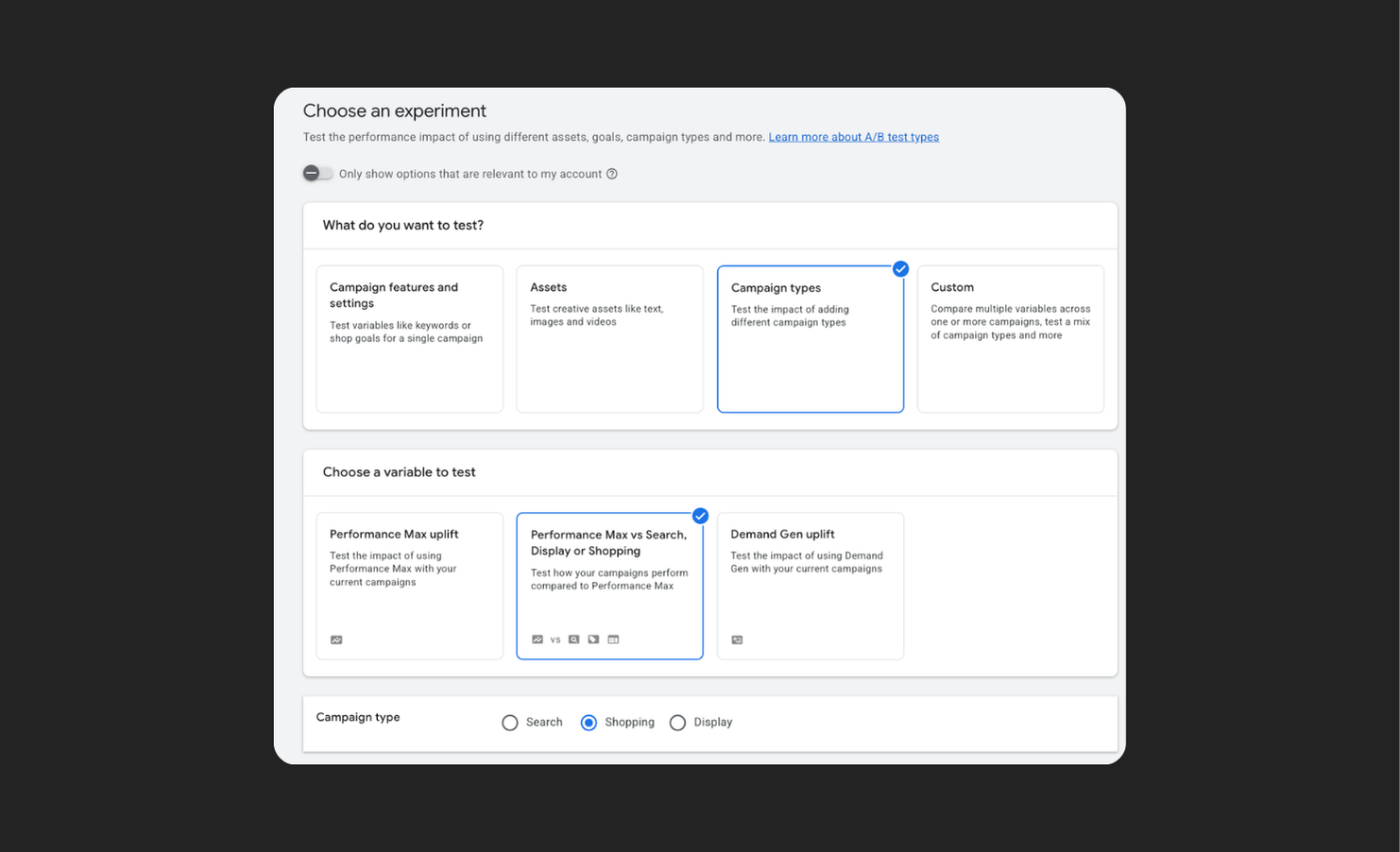
Here's the bit most teams miss. Choosing a campaign type is also choosing a bidding strategy. Standard Shopping lets you pick: manual, automated, whatever fits. Performance Max only runs on automated bidding. So the second you choose PMax, you've chosen full automation, whether you meant to or not.
And PMax is less new than it looks. Research by smec found that 74 to 97% of PMax budget goes to the same product ads Standard Shopping runs. Under the hood, it's mostly Shopping. More reach, fewer buttons.

The real trade is reach for control, not modern for outdated.
Standard Shopping gives you full control over bids, products and sale moments, complete reporting per product, ads in Shopping results only, and more manual work.
PMax gives you reach across Search, Shopping, YouTube, Display, Gmail, Discover and Maps, automated bidding only, reporting that's better than before but still not complete, and less manual work.
One thing to avoid either way: running both on the same products without splitting them. They'll bid against each other, and you won't be able to tell what either one is really doing.
Does PMax actually beat Shopping?
Sometimes. The honest answer is that it depends on how good your Shopping setup was to start with.
In tests by Bigflare, PMax beat Standard Shopping in roughly 8 out of 10 cases. A 90-day comparison from MHI lands differently: Shopping returned 4.2 times ad spend against PMax's 3.5, but PMax drove about 23% more volume. So even here, "Shopping won on ROAS" isn't the whole story. It won on return and lost on reach. The point is what you're comparing against, and what you're optimising for. Google's own case studies often line PMax up next to Shopping campaigns nobody was really tending. Put it next to a well-run setup and the gap shrinks. Sometimes it flips.
If your Shopping campaigns were neglected, PMax will look like magic. That's not PMax winning. That's your old setup losing. So when you read "PMax lifts conversions by 18%," ask the only question that matters: compared to what?
Your brand name is inflating your ROAS
People who google your brand name were already on their way to you. They buy fast and cheap. That's the problem. If you don't specifically exclude your brand name, 15 to 40% of those searches can slide into your PMax campaign. Your ROAS looks great, but you've learned nothing about how your ads do with people who don't know you yet.
Put plainly: you're paying to win back visitors you already had, and filing it under growth. That's why a brand exclusion belongs in every PMax setup from day one. Otherwise you're celebrating a return that's mostly you buying your own name.
The five questions that decide the call
The choice isn't a matter of principle. It depends on your account. Five questions tell you what you're working with:
- How many sales does each campaign get? Around ~50 a month is the floor for automated bidding to work.
- Is your data right? Automation is only as good as what it learns from. Wrong order values in means wrong bids out.
- How different are your margins? The bigger the gap between your high and low-margin products, the more you need to steer them separately.
- How often do you run sales? More sale moments and collection switches means more moments where you need to overrule the historian.
- Who's going to manage it? Control is only worth something if someone has time to use it. Manual bidding nobody touches is the worst of both worlds.
Where to start
- Count sales per campaign. Under ~50, stay manual or on Standard Shopping and don't force a target yet.
- Fix your order-value data before you trust any target. Wrong numbers in, wrong bids out.
- Put sale and clearance stock where you set the bids, so the algorithm can't pull back at the worst moment.
- On PMax, exclude your brand name on day one and split your products off from Standard Shopping so the two don't compete.
- Set your target per market and product group, not one number for the whole account. That target is your steering wheel, and after August 17 it's the main thing keeping your costs down.
The bottom line
You don't give up control. You move it. Away from the bids, toward the inputs: your product data, your order values, your targets, your exclusions, your structure. The accounts that win aren't the ones with the most buttons. They're the ones with the best inputs. Let the algorithm do the heavy lifting and keep the levers that actually matter.
Want a second pair of eyes on where your account sits across those five questions? That's exactly the kind of call we help lifestyle brands make.
Share on:


.png)